ForgeEmulation
A local-first Windows retro-game library with read-only location review, missing candidates and safeguards for unavailable or incomplete folders.
The problem it solves
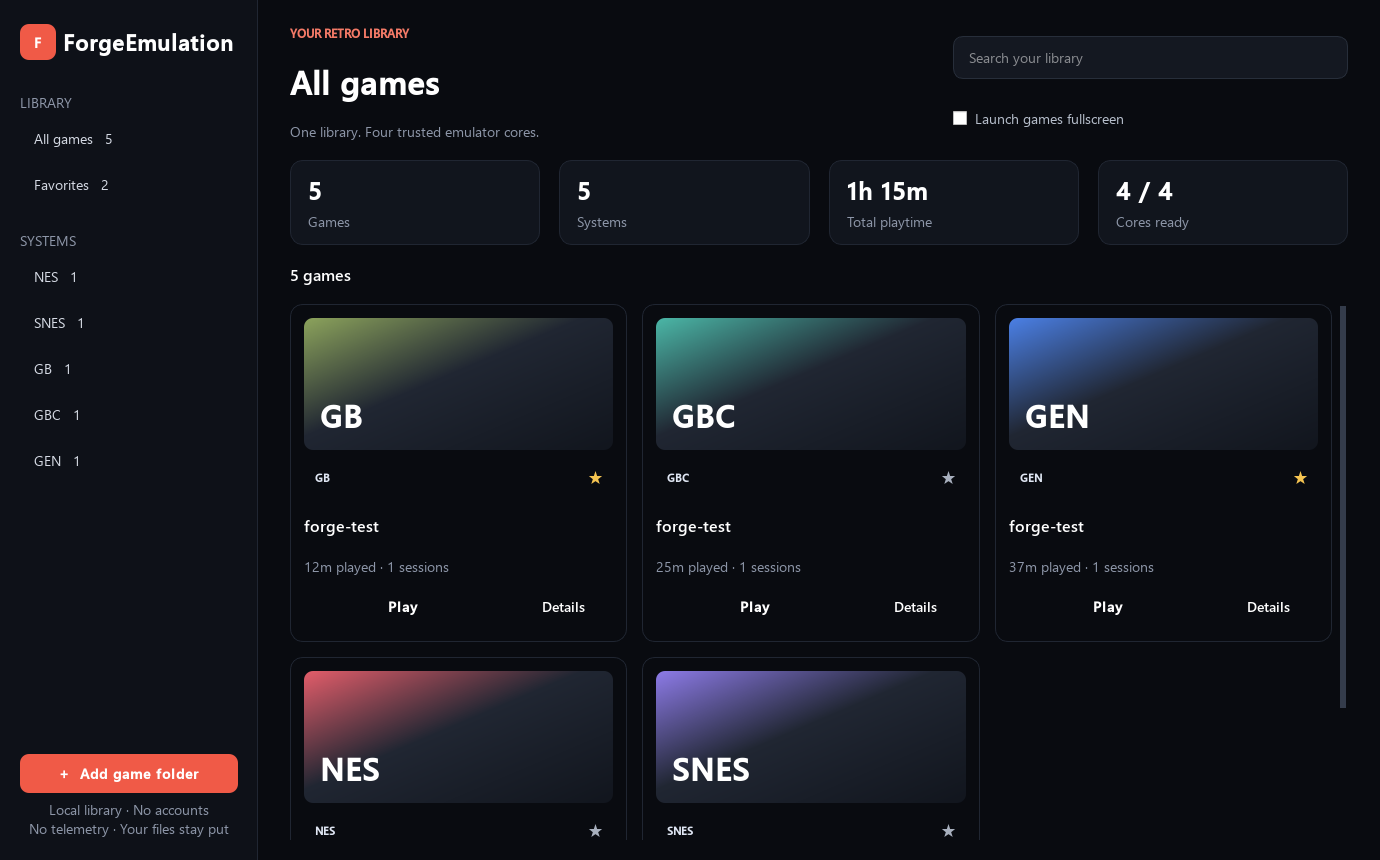
ForgeEmulation ForgeEmulation is a local-first Windows desktop library for legally obtained retro games. It scans folders without moving your files, identifies supported cartridges, and launches each game through a pinned, open-source libretro core in an isolated runtime process.
Who ForgeEmulation is for
- Players who want practical, local tools for libraries, saves, settings, or planning.
- Users working with emulation, retro gaming, local library who want the documented v1.4.0 behavior.
- People who prefer an open-source release with visible limitations, source, and license terms.
Intended result
A local-first Windows retro-game library with read-only location review, missing candidates and safeguards for unavailable or incomplete folders.
This summary is reconciled from the current catalog and repository documentation.
Features in v1.4.0
Capabilities below come from the current project README and release documentation.
Nintendo Entertainment System through Nestopia
Super Nintendo Entertainment System through bsnes
Game Boy and Game Boy Color through SameBoy
Sega Genesis / Mega Drive through BlastEm
Game Boy Advance through mGBA
Sega Master System and Game Gear through SMS Plus GX
Verified examples
Screenshots are shown only when the current README references a local source image. Otherwise, repository example files are linked directly.
Platforms and implementation
The public release claims only the cataloged platforms and technologies.
Supported platforms
- Windows
Built with
- Python
- PySide6
- SDL 2
- Libretro
- SQLite
Changelog
Release notes from the canonical v1.4.0 source tag.
- Add a selected-folder, read-only preview of stored ROM locations with missing candidates and unavailable/incomplete-folder safeguards.
- Preserve all availability flags, metadata, play history, saves and core pins; ZIP member contents remain unverified.
- Added an in-game quick menu and nine independent save-state slots.
- Added global and per-game scaling, video filter, fullscreen, volume, mute, and
default-slot preferences.
- Added checksummed local backup/restore, Continue Playing, privacy-safe diagnostics,
custom local titles, and user-supplied artwork.
- Added Game Boy Advance through mGBA, Master System and Game Gear through SMS Plus GX,
and Atari 2600 through Stella 2014 with pinned source and license provenance.
- Added persistent per-controller profiles with remapping for every supported gameplay action.
- Added controller-driven spatial navigation, selection, and back behavior throughout the library.
- Corrected dialog backgrounds, combo boxes, spin boxes, focus states, and message-box
Quick start
The shortest documented path into the current release.
- Download and extract the Windows x64 release.
- Run
ForgeEmulation.exe. - Select Add game folder and choose a folder containing games you lawfully possess.
- Select Play on a library card.
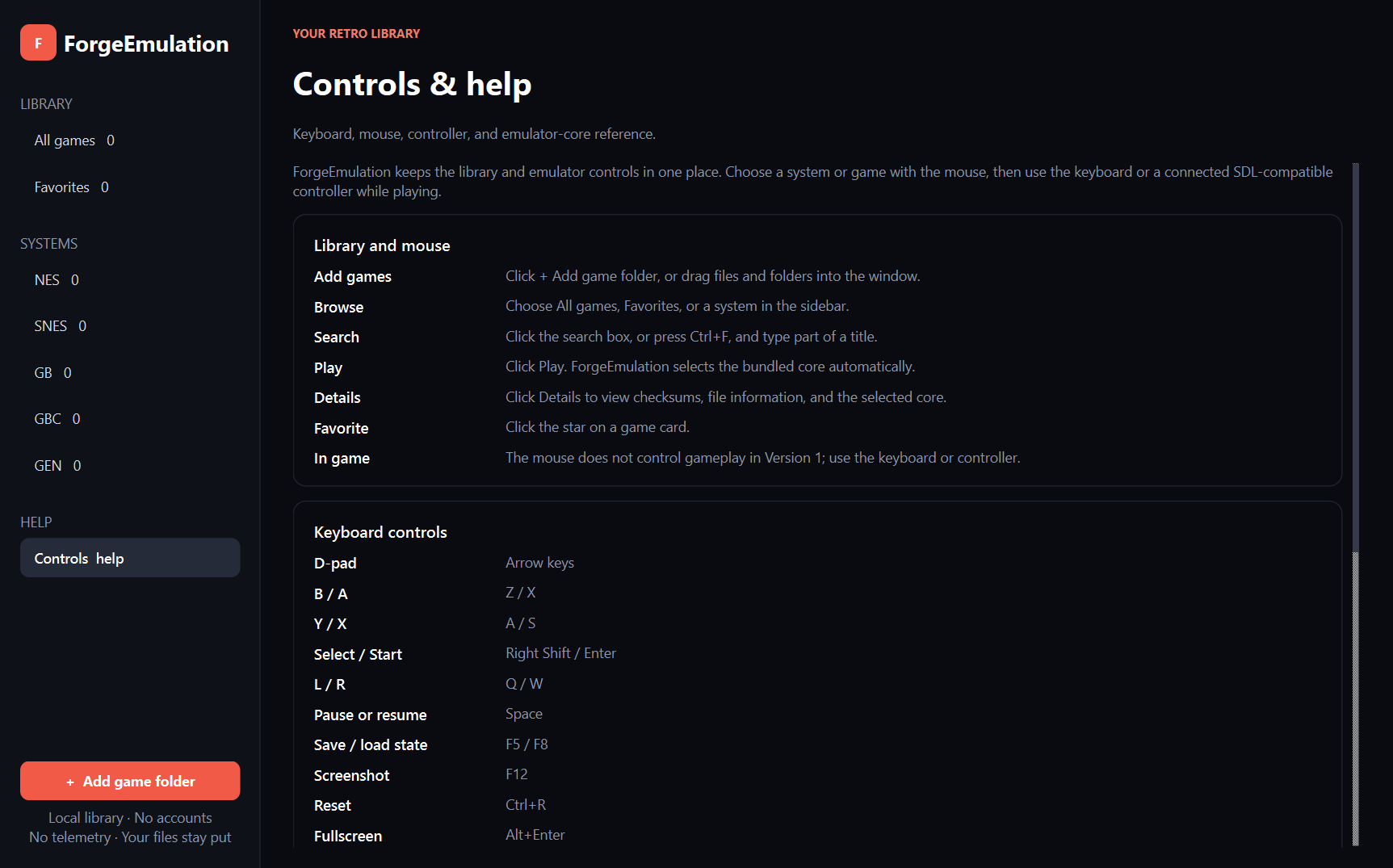
Select a system in the sidebar to see the exact bundled emulator core, version, license, and installation status. Select Controls & help or press F1 for the complete keyboard, mouse, controller, and core reference inside the app.
ForgeEmulation links to the selected files. It does not rename, move, modify, upload, or distribute them. ZIP members are extracted only into the local application cache when launched.
Current limitations
These boundaries are part of the product and prevent the page from implying unverified capability.
The current v1.4.0 release is bounded by the behavior documented in its README and changelog. It does not claim unsupported platforms, automatic interpretation, or results beyond the evidence it produces.
Privacy and licensing
Review the actual data boundary before using a tool with sensitive inputs.
Privacy and safety
No commercial games, firmware, keys, cover art, or metadata are supplied. Users are responsible for complying with the law where they live. The application does not connect to an online service during normal use.
The frontend is licensed under GPL-2.0-or-later. Bundled cores retain their own licenses. See THIRD_PARTY_LICENSES.md, CORE_LICENSE_MATRIX.md, and third_party/core-manifest.json for exact versions, hashes, source snapshots, notices, and public-release verification status.
License and release
ForgeEmulation is published under GPL-2.0-or-later. The current cataloged release is v1.4.0, published 2026-10-15.
Related projects
Related projects are selected deterministically from shared catalog tags, category, and implementation technologies—not popularity or paid placement.
ForgeEmulation v1.4.0
Use the tagged release for downloads and release notes. Use the repository for source, issues, contribution guidance, security reporting, and complete documentation.
Page source: current Forge catalog plus README and CHANGELOG from the canonical GitHub release tag. Fingerprint: b812db816c590ef0.